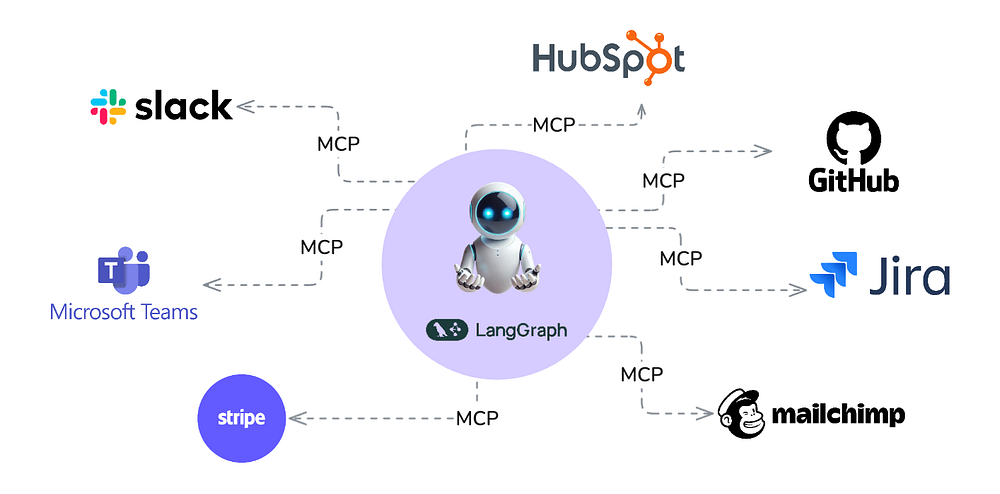
In our previous blog, we built a universal assistant that could use Claude's Model Context Protocol (MCP) to interface with different services (such as our filesystem, a sqlite database, etc.), and help make our daily tasks more efficient.
In this blog, we'll extend our Universal Assistant to be able to connect to almost any API and automatically call its endpoints!
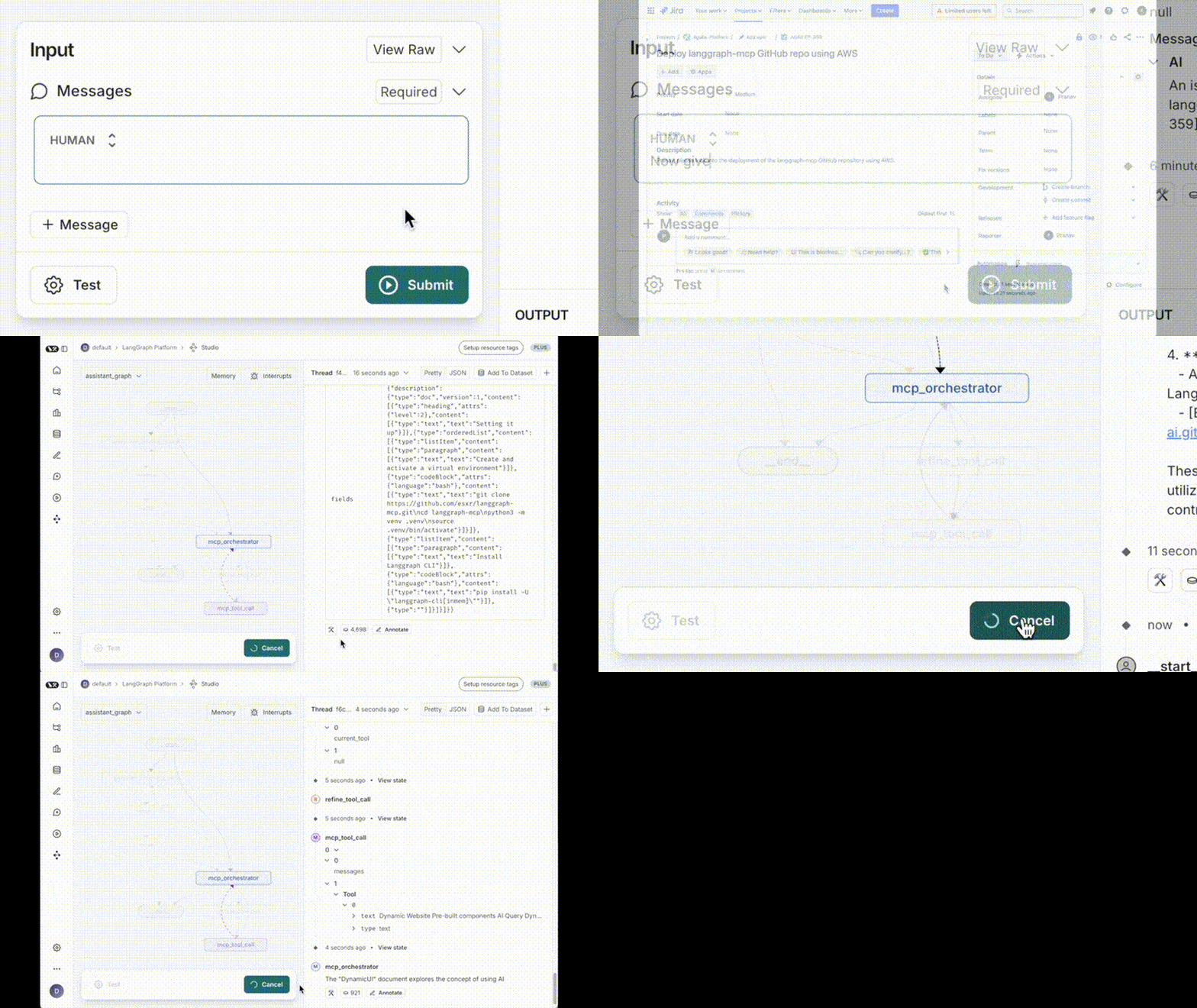
You can access the code for this blog here.
Steps
Note: I've included links for all the relevant changes for greater clarity.
Initial Setup
In a regular MCP server setup, we're limited by the number of MCP servers out there, or have to build our own. So adding support for each service we use with our assistant would mean creating a robust MCP implementation of the same. This approach might currently not be scalable.
Fortunately, there is an easier way of doing the same. Most of the popular APIs can be specified in a standard OpenAPI format. We just need a generic MCP server that can convert an OpenAPI spec into MCP tools.
After some research, I found this mcp server, which takes an OpenAPI Spec and dynamically exposes its endpoints as tools. All we have to do is add a config to our mcp-servers-config.json for our desired spec!
{
  "mcpServers": {
    ...
    "jira": {
        "description": "Project management and issue tracking, e.g., get, modify, or search projects, issues, bugs, etc.",
        "command": "npx",
        "args": [
            "-y",
            "openapi-mcp-server@1.1.0",
            "/path/to/openapi-specs/jira-openapi.json"
        ],
        "env": {
            "OPENAPI_MCP_HEADERS": "{\"Authorization\": \"Basic [base64 encoded version of: <YOUR.JIRA.EMAIL@YOUR.JIRA.TOKEN>]\"}",
            "JIRA_HOST": "your_workspace.atlassian.net",
            "JIRA_EMAIL": "you_email@example.com",
            "JIRA_API_TOKEN": "YOUR.JIRA.TOKEN"
        }
    }
  }
}
We've connected our JIRA workspace to our assistant using a simple config. Now, let's tell our assistant to create a JIRA ticket for us.
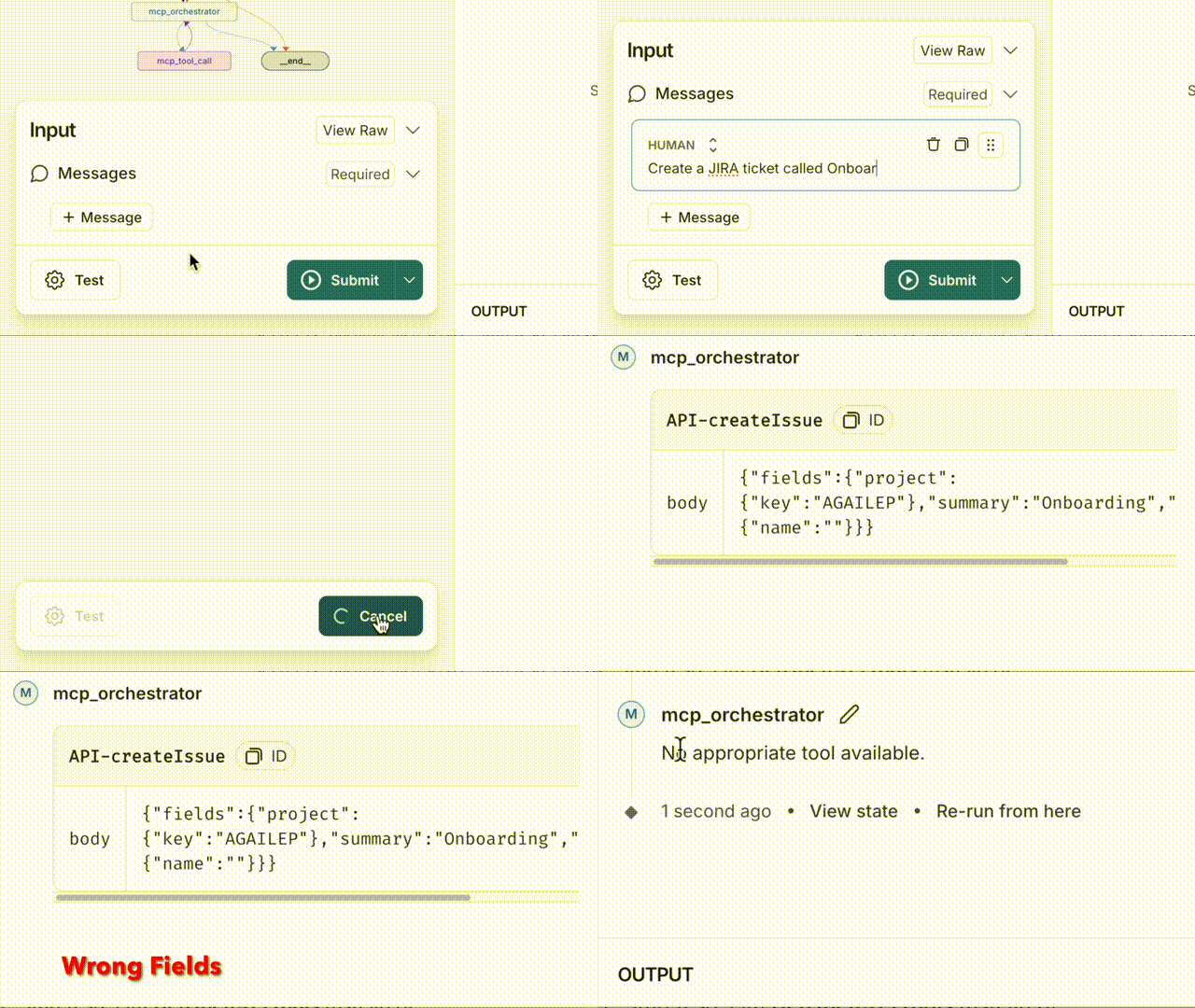
It's able to select the right tool (from a list of 500 or so tools!) most of the time. However, it cannot correctly map the information from the conversation context to tool arguments.
Tracing this with the help of LangSmith reveals the problem. The tool definitions returned by the MCP server has refs to the information schema (instead of the actual schema). Therefore, the target schema of tool input arguments is effectively not available to our tool orchestrator.
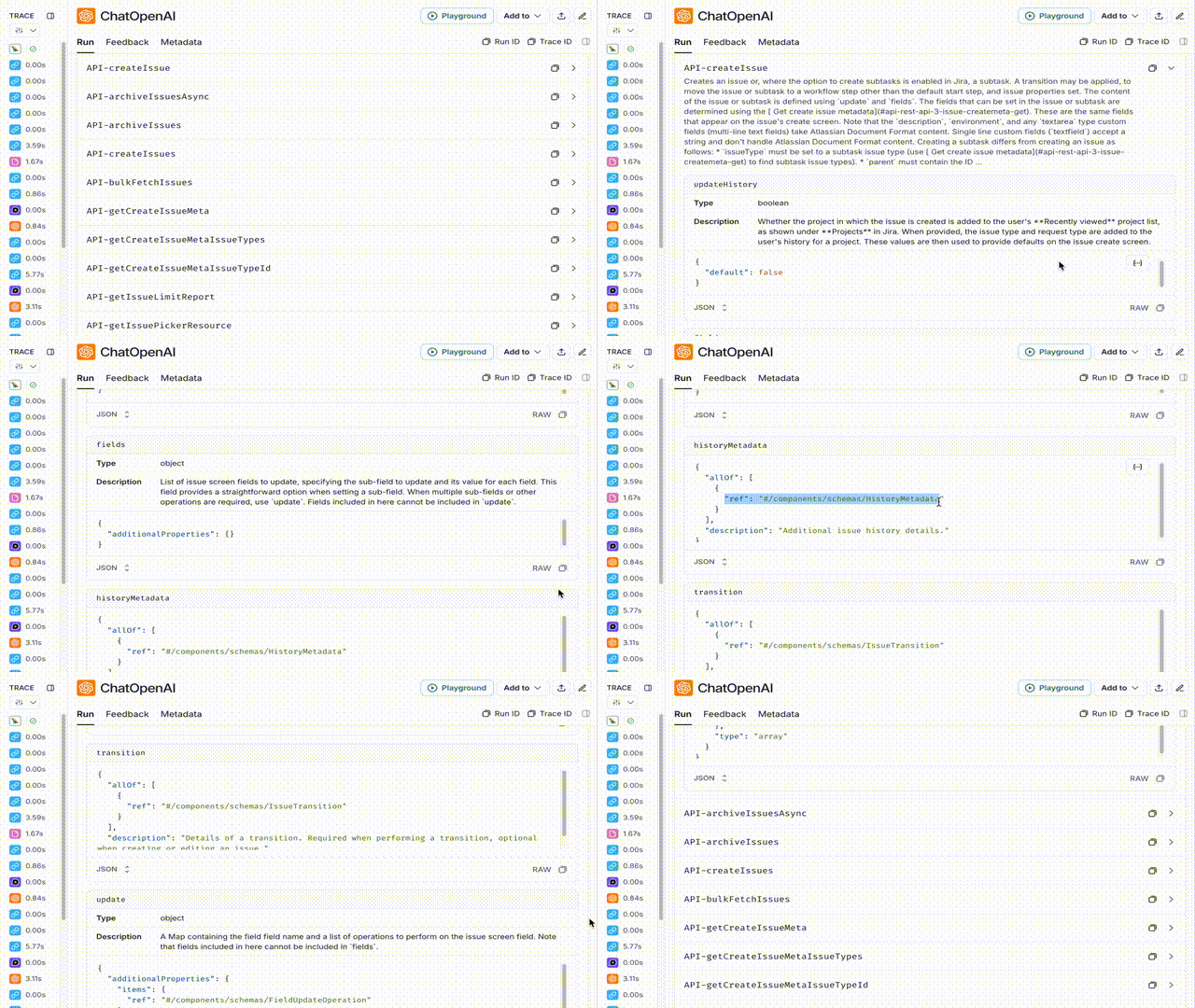
To address the problem, we need to make sure that the tool definition has resolved schema references.
Improving the openapi-mcp-server integration
Openapi-mcp-server by itself doesn't check for the presence of refs and resolve them. This is what I needed to correct. After going through LangChain docs, I found a utility called openapi_spec_to_openai_fn, which automatically resolves the refs during the transformation.
So let's extend GetTools of the mcp_wrapper.py with GetOpenAPITools.
class GetOpenAPITools(GetTools):
    def __init__(self, openapi_spec: dict, **kwargs):
        self.openapi_spec_dict = openapi_spec
        self.openapi_spec = OpenAPISpec.from_spec_dict(self.openapi_spec_dict)

    async def __call__(
        self, server_name: str, session: ClientSession
    ) -> list[dict[str, Any]]:
        tools = await session.list_tools()
        openai_fns = openapi_spec_to_openai_fn(self.openapi_spec)[0]

        # Making the JSON schema given by openapi_spec_to_openai_fn
        # compatible to Runtool function (MCP)
        for fn, tool in zip(openai_fns, tools.tools):
            op_id = "".join(tool.name.split("-")[1:])
            # This will be useful later
            fn["metadata"] = {}
            fn["metadata"]["tool_info"] = extract_inlined_operation_data(
                self.openapi_spec_dict, op_id
            )

            fn["parameters"]["properties"] = merge_json_structure(
                fn["parameters"]["properties"]
            )
            fn["name"] = tool.name
            # truncate all openai_fn descriptions to 1024 characters
            if len(fn["description"]) > 1024:
                fn["description"] = fn["description"][:1021] + "..."

        return openai_fns
The graph may now use GetOpenAPITools instead of the usual GetTools while asking for tools from an openapi-mcp-server.
async def mcp_orchestrator(
    state: State, *, config: RunnableConfig
) -> dict[str, list[BaseMessage]]:
    """Orchestrates MCP server processing."""

    ...

    # Fetch tools from the MCP server conditionally
    tools = []
    args = (
        server_config["args"][1:]
        if server_config["args"][0] == "-y"
        else server_config["args"]
    )

    # Separate integration for openapi-mcp-server@1.1.0
    # TODO: refactor this into an adapter pattern later
    # You can also contribute to "Github: esxr/langgraph-mcp" for this!
    if args[0] == "openapi-mcp-server@1.1.0":
        openapi_path = args[1]

        # Get the openapi file as a json
        with open(openapi_path, "r") as file:
            openapi_spec = json.load(file)  # Converts JSON to a Python dictionary

        # convert the spec to openai tools
        tools = await mcp.apply(
            server_name,
            server_config,
            mcp.GetOpenAPITools(openapi_spec),
        )
    else:
        tools = await mcp.apply(server_name, server_config, mcp.GetTools())

    ...
This yields much better results!
However, though openapi_spec_to_openai_fn resolves the refs, it ignores some of the operation details available in the spec. E.g., it ignores examples, and any additional annotations that API spec providers may have added.
My first intuition was to enhance openapi_spec_to_openai_fn to include these, but for APIs like JIRA (with 500+ operations) that significantly increases the number of tokens with the bind tools. After some experimentation, the approach I chose was to selectively refine the schema details after the tool selection by the orchestrator.
The graph structure for that looks somewhat like this:

The refine_tool_call binds that single selected tool with the additional schema details and re-attempts the tool orchestration prompt.
TOOL_REFINER_PROMPT = """You are an intelligent assistant with access to various specialized tools.

Objectives:
1. Analyze the conversation to understand the user's intent and context.
2. Select the most appropriate info from the conversation for the tool_call
3. Combine tool outputs logically to provide a clear and concise response.

Steps to follow:
1. Understand the conversation's context.
2. Select the most appropriate info from the conversation for the tool_call.
3. If there is a tool response, combine the tool's output to provide a clear and concise answer to the user's query, or attempt to select another tool if needed to provide a more comprehensive answer.

{tool_info}

System time: {system_time}
"""
Here's how the refine_tool_call node looks like in assistant_graph.py
async def refine_tool_call(
    state: State, *, config: RunnableConfig
) -> dict[str, list[BaseMessage]]:
    """Call the MCP server tool."""

    if state.current_tool == None:
        return

    # Fetch the current state and configs
    ...

    # Get the tool info
    tool_info = state.current_tool.get("metadata", {}).get("tool_info", {})

    # Bind the tool call to the model
    # Prepare the LLM
    prompt = ChatPromptTemplate.from_messages(
        [
            ("system", configuration.tool_refiner_prompt),
            ("placeholder", "{messages}"),
        ]
    )
    model = load_chat_model(configuration.tool_refiner_model)
    message_value = await prompt.ainvoke(
        {
            "messages": state.messages[:-1],
            "tool_info": str(tool_info),
            "system_time": datetime.now(tz=timezone.utc).isoformat(),
        },
        config,
    )

    # Replace the last tool call with this one
    # we don't want 2 tool calls in a line
    last_msg_id = state.messages[-1].id
    response = await model.bind_tools([state.current_tool]).ainvoke(
        message_value, config
    )
    response.id = last_msg_id

    return {
      "messages": [response],
      "current_tool": None # unset the current tool
    }
You can view all the above changes together here.
Conclusion
In this article we saw how to turn any server end-point with an Open API specification to an MCP server using a generic wrapper. This greatly enhances the current reach of our MCP based Universal assistant!